HOME | Fashion | Beauty | Home Furnishing | Comparison | Top Reviews |

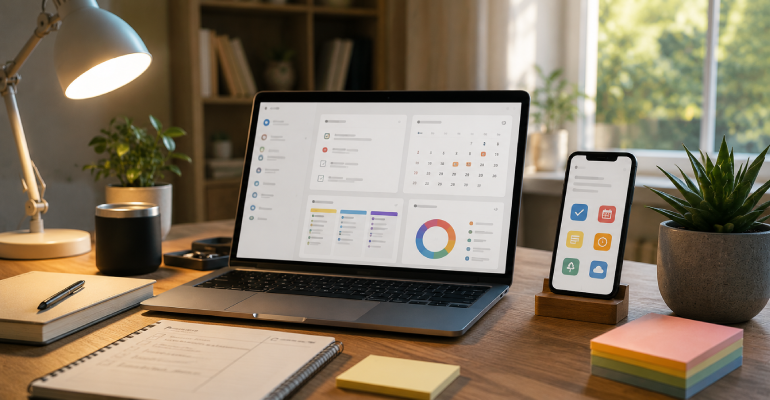
The productivity app category has a fundamental irony that nobody in it acknowledges directly: the most complex productivity systems are usually owned by people who spend significant time managing their productivity system rather than doing productive work. The perfectly organized Notion workspace with custom databases, linked views, and automated workflows represents dozens of hours of setup and maintenance that could have been spent on the actual work the system is supposed to support.
The apps worth using are the ones that reduce friction rather than adding it. The ones whose interface disappears into the work rather than becoming work themselves.
Things 3 costs $50 (one-time purchase, Apple only) and is the task management application I’d recommend without qualification to anyone on Apple devices. The design is elegant in the specific way that means the interface produces almost no friction between “I need to remember to do this” and the task being captured. The three-level hierarchy (Areas, Projects, Tasks) maps naturally to how most people actually think about their responsibilities. The Today view provides a single reliable place to see what needs to happen.

Todoist costs $4/month or $36/year and is the cross-platform alternative — available on every device and browser, synced reliably, and powerful enough to implement any task management philosophy from simple lists to complex project management. The natural language processing (type “call dentist Friday at 2pm” and it creates a task with the correct due date and time) reduces the friction of capturing tasks significantly.
Both of these applications disappear into use in a way that complex tools like Notion don’t. They’re for people who need to manage tasks, not for people who want to design a system for managing tasks.
Apple Notes is underrated to the point of absurdity. It syncs instantly across Apple devices, supports images, documents, links, checklists, and handwritten notes, has a reliable search, and costs nothing. For the majority of note-taking needs the majority of people have, it is a complete solution. The reason people look for alternatives is usually that they’ve been persuaded they need features that Apple Notes doesn’t have, rather than that Apple Notes is failing a genuine need they’ve identified.
Obsidian is the recommendation for people who take notes seriously in a way that Apple Notes doesn’t support. The concept of “linked notes” — the ability to create connections between notes that build a personal knowledge graph over time — is genuinely useful for research-heavy work, writing projects, and anyone who processes large amounts of information and wants to see connections across it. The files are stored locally in Markdown format, which means they’re portable to any future application and not dependent on Obsidian remaining operational or affordable.
Notion is powerful and popular and requires significant investment in setup and maintenance. For most people who adopt it enthusiastically, it becomes either a genuinely useful workspace that justifies the investment or an elaborate second job of maintaining a system rather than using it. Knowing which outcome is likely for you before adopting Notion saves significant time.
The productivity app category is full of focus apps — Forest, Focus@Will, Session, Be Focused — that provide various versions of the same function: a timer that creates a structure for focused work periods. The most evidence-supported focus technique (the Pomodoro Technique: 25 minutes of focused work, 5-minute break, repeat) requires only a timer to implement. A physical kitchen timer, the Clock app on any phone, or any of the named focus apps implement the same underlying approach.

The app that adds genuine value in this space beyond a basic timer: Freedom ($40/year) blocks distracting websites and apps across all your devices simultaneously. For people who find themselves habitually opening social media, news sites, or other distractions during work periods, removing access through a blocker is meaningfully more effective than relying on willpower.
Every productivity system works better when built around a calendar that’s used accurately. Accurate means: every commitment — not just meetings, but work blocks, personal obligations, travel time between locations — is on the calendar. This produces a realistic picture of available time rather than the optimistic picture that produces consistently missed deadlines and overcommitted schedules.
Time blocking — scheduling specific blocks for specific types of work rather than arriving at each day with a task list and available hours — is the calendar practice with the most consistent evidence for improved output. The block provides commitment and context; arriving at a “write section of report” block rather than an undefined “work time” block reduces the decision overhead that depletes focus.